
Restaurant Waitlist Texts: Stay Close Without Missing Your Table
Table of contents
Quick answer
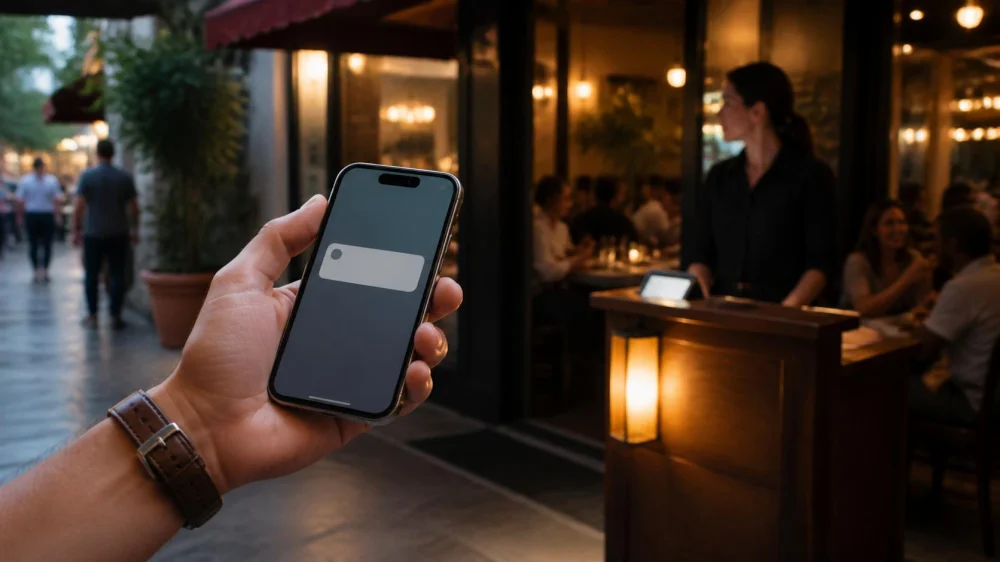
Before leaving the host stand, confirm the phone number, quoted range, party size, reply instructions, and how long the table will be held. Stay within the distance staff recommends and keep your phone audible. A wait estimate is not a reservation time. If an alert is late, missing, or impossible to answer, contact the host directly instead of joining again online.

How waitlists work
A restaurant waitlist organizes parties that are ready to dine when reserved or immediately available tables are limited. Some restaurants enter names at the door, while others allow remote joining through their website or a third-party service. A text may confirm that you joined, update your place, ask whether you are still waiting, or announce that a table is ready.
The displayed wait is usually an estimate, not a countdown. Hosts consider table sizes, reservations, seated parties, staffing, sections, accessibility requests, and whether the full party is present. A table for two may open before a table for six even when the larger party joined first. A sudden group departure can shorten the wait; slow meal pacing can extend it.
Policies differ. One restaurant may hold a table for several minutes after texting, another may require an immediate reply, and another may call if the text is unanswered. Remote waitlists may close when demand is high or when the kitchen nears closing. Read the confirmation message and ask staff about anything unclear.

Before you join
Use the correct mobile number and check it aloud with the host. A single wrong digit can prevent every later alert. If you are traveling internationally, using a data-only device, or blocking unknown senders, ask whether the system can reach you. Tell staff if a voice call, in-person check, or another method would work better.
Give an accurate party size, including children who need seats and guests using mobility devices. Mention high chairs, wheelchair space, or other seating needs at the beginning. Adding guests later can require a different table and may change the wait. If someone has not arrived, ask whether the restaurant seats incomplete parties.
Before walking away, confirm:
- The name and mobile number on the list
- Your party size and seating needs
- The current estimated wait range
- How far you may go while waiting
- Whether you must reply to the alert
- How long a ready table is normally held
- Where to report when notified
- Whether the kitchen or dining room closes at a relevant time
Save the restaurant's direct number. Do not rely only on the number or short code that sends automated messages, because it may not accept calls. Take a screenshot of the confirmation if it shows your position, check-in link, or instructions.
While you wait
Stay close enough to return within the stated hold period. “Nearby” can mean the lobby at one venue and the surrounding block at another. If you plan to shop, park farther away, or wait in a vehicle, ask whether that location is practical. Elevators, parking garages, crowds, and street crossings add return time.
Turn up the alert volume, disable a focus mode that silences unknown messages, and keep the phone charged. Watch for both texts and calls. If one person is likely to lose service or battery, ask whether a second contact can be added. Do not assume the waitlist app will refresh in the background.
Use the estimate as a planning range. Avoid starting an activity you cannot leave quickly or ordering food elsewhere that commits you to another schedule. If a child, older adult, or guest with a health need cannot wait comfortably, ask staff about seating, shade, restroom access, or the ability to return at a less busy time.
Tell the host before leaving the area or changing plans. Removing your name helps staff seat other guests and prevents repeated alerts. If your party size changes, update it immediately rather than waiting until a table is ready.
When the text arrives
Read the entire message. It may say that the table is ready, that you should return soon, or that you must confirm continued interest. Follow the stated reply format exactly. Automated systems may recognize a word or button but ignore a conversational response.
Gather the full party and go to the specified host stand. Show the text if staff asks, but do not share a public screenshot containing a phone number or private booking link. State the waitlist name and party size. If someone is delayed, say so honestly and ask what options are available.
A ready alert does not always mean you will sit at that second. Staff may need to reset a table, verify the party, or escort another group through a tight entry. Give the host a brief chance to coordinate. If the delay becomes substantial, ask for an updated expectation.
Confirm before accepting a materially different table, such as outdoor seating, a bar counter, a communal table, or a high top. If you requested an accessible or specific seating arrangement, remind staff politely rather than assuming the alert includes that detail.
Delays and missed alerts
If the quoted range passes, check the app or confirmation once and then ask the host for an update. Repeatedly leaving and rejoining can create duplicate entries and confusion. Use neutral language: “We joined under Garcia for four about 45 minutes ago. Could you confirm we are still active?”
A longer wait does not necessarily mean you were skipped. The available tables may not fit your party, booked guests may have arrived, or a section may be temporarily unavailable. Ask for the revised range and decide whether it still works for your group.
If you discover a missed text, return or call promptly. Explain when the alert arrived and ask whether the restaurant can still seat you or restore your place. The original table may already have been reassigned. Staff may offer the next suitable opening, but policies and capacity vary.
If no alert arrives, verify the number and message filters. Search blocked or spam folders and look for an incoming call. Contact the restaurant directly rather than responding to an unfamiliar link. When a message asks for payment or sensitive information unexpectedly, confirm through the restaurant's published contact details before taking action.
Limitations
Waitlist technology cannot predict exactly when diners will leave or which table size will become available. Network delivery, device settings, third-party outages, and data-entry errors can delay alerts. Position numbers can also move in ways that look irregular because not every party needs the same seating.
This guide describes common planning practices, not a universal restaurant policy. The restaurant's current instructions control the actual waitlist. Availability, hold times, remote check-in, seating order, and accessibility processes vary by location and may change during service.
Frequently asked questions
Is a waitlist text the same as a reservation?
Usually not. A waitlist estimates access to the next suitable opening, while a reservation is associated with a planned time under the venue's booking policy. Read the restaurant's exact terms.
Why was a party that arrived later seated first?
They may have had a reservation, a different party size, a bar-seating preference, or a table requirement that matched the available space. Ask the host to confirm your status if concerned.
Can I join several restaurant waitlists at once?
A service may technically allow it, but remove yourself promptly from lists you will not use. Holding multiple active spots creates avoidable work and does not extend a ready-table deadline.
What if my phone has no cellular service?
Tell the host before leaving. Ask whether you can wait in view, receive an in-person notification, use another number, or check back at an agreed interval.
Will the restaurant seat us before everyone arrives?
Policies vary. Some require the complete party; others allow partial seating. Confirm when joining, especially if one guest is parking or traveling separately.
How long will a restaurant hold the table?
There is no universal period. Ask the host and read the ready message. Return immediately whenever possible, and contact the restaurant if an unavoidable delay occurs.
Conclusion
A smooth waitlist experience begins with accurate details and realistic expectations. Confirm the number, party, return distance, reply method, and hold policy. Keep the phone reachable and treat the quoted wait as a range. When plans change or technology fails, direct communication with the host is the fastest way to clarify your options.






 Mr B bar4.0 (49 reviews)
 jglow's sweets4.0 (6 reviews)
 Ah' Pizz Harrison4.0 (878 reviews)
 Peter's Grill and Bar4.0 (451 reviews)
 Pitusa Bakery4.0 (929 reviews)
 Junoon4.0 (3926 reviews)
 How Vegan Restaurants Are Offering Gourmet Comfort Foods for All Tastes
 How Breakfast Restaurants Are Attracting Health-Conscious Customers with Innovative Dishes
 What’s On The Menu? A Peek at the Most Popular Restaurant Dishes in 2025
 How Indian Restaurants Are Highlighting Regional Spice Blends
 How Breakfast Restaurants Are Offering Creative Seasonal Dishes
 How to Pair Wine with Different Types of Cheese Like a Pro