
Restaurant Table Lighting: Reading, Glare, and Access
On this page
Quick answer
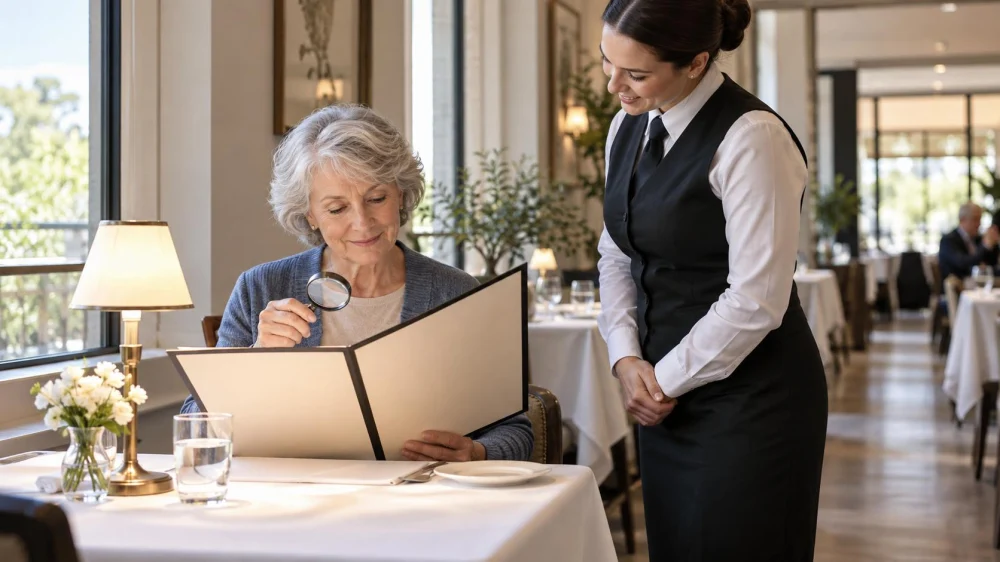
For easier menu reading, ask about daylight, table lamps, large-print or digital menus, and seats away from direct glare. At the table, angle the menu toward available light and use a dim, focused phone light only with staff approval and without shining it at other diners. Request another seat when glare or low light remains a barrier.
Define the lighting need
Useful restaurant lighting provides enough contrast to read and move safely without uncomfortable glare. Low light, glossy menus, bright windows, bare bulbs, candles, and reflections can affect diners differently.
Decide whether the priority is menu reading, lip-reading, low-glare seating, a clear walking route, medication visibility, or a calmer sensory setting. A specific request helps staff identify an option instead of guessing what “better lighting” means.
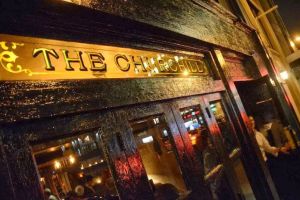
The Churchill Tavern / churchill tavern
New YorkNew York CountyNew York
45 E 28th St, New York, NY 10016, USA
Check before booking
- Ask whether the room changes from daylight to dim evening lighting.
- Check for large-print, high-contrast, online, or accessible digital menus.
- Ask which area is away from direct sun, mirrors, open kitchens, and decorative glare.
- Confirm step-free routes and lighting along entrances, restrooms, and exits.
- Explain any functional accommodation need when reserving.
Restaurant photos can show the layout but may use professional exposure or daytime light. Call for current information rather than relying only on images or reviews.
Choose a useful seat
A wall-side table may reduce glare from one direction. Diffused window light can help during the day, while direct setting sun may make reading harder. A table lamp is useful only if it illuminates the menu without creating a bright hot spot.
Keep the floor and aisle visible. Do not move lamps, candles, cords, or furniture yourself. Ask staff before changing a shade, closing a blind, or relocating the table.
Use personal tools courteously
- Increase phone text size and contrast before arriving.
- Open the official online menu if it is current and accessible.
- Use a handheld magnifier or personal reading aid when helpful.
- If permitted, aim a phone light downward at the menu on the lowest useful setting.
- Turn the light off after reading and never point it across the room.
Screen brightness can disturb nearby diners in a dark room. Use night mode or a dark background when it improves comfort, and protect personal information displayed on the device.
Ask staff for practical help
Useful requests include another copy of the menu, a verbal description, more time, a brighter available table, or help distinguishing prices and modifiers. Confirm ingredient and allergy information separately; clearer print does not replace a current kitchen check.
If no seat meets the need, ask about takeout, another dining area, or a future daytime reservation. The restaurant can explain available options, but availability may change with service demands.
Important limits
This is general U.S. dining-access guidance, not a review of a specific restaurant or legal advice. Diners with low vision, migraines, sensory sensitivity, or other disabilities may need individualized accommodations. Contact the venue early and describe the functional need.
Do not use open flames, personal plug-in lamps, or equipment that creates heat, cords, or trip hazards without explicit permission. Keep exits and service paths clear.
Frequently asked questions
Can I ask for a brighter table?
Yes. Describe the reading or glare need and ask which available area works best.
Is a digital menu always more accessible?
No. It helps only when current, navigable, and compatible with the diner's device and access tools. Ask for another format if needed.
May I use my phone flashlight?
Ask staff, point it only at your menu, use the lowest useful level, and switch it off promptly.
What if glare comes from a window?
Ask whether a blind, different seat, or later time is available. Do not adjust restaurant fixtures without permission.
Sources and evidence notes
The guidance uses broad accessibility and hospitality principles: describe functional needs, provide equivalent information in usable formats, reduce glare, protect clear routes, and avoid solutions that create new hazards or disrupt other diners.
Next steps
Before booking, ask one concrete question about menu format and table light. Prepare device text size or a reading aid, then evaluate glare and the walking route on arrival. If the seat does not work, request a practical alternative early.



 Cuban Cafe4.0 (630 reviews)
 Costa's Snack Bar aka The Burger Stand4.0 (82 reviews)
 New York Fried Chicken And Pizza4.0 (273 reviews)
 Garibaldi Restaurant 13.0 (483 reviews)
 Mexican Rodeo Restaurant4.0 (245 reviews)
 Las Torres Mexican Restaurant5.0 (4 reviews)
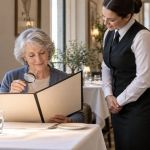 Restaurant Table Lighting: Reading, Glare, and Access
 Restaurant Patio Heater: Distance, Comfort, and Safety
 Restaurant Private Room: Capacity, Minimums, and Service
 Restaurant Noise Check: Seating, Conversation, and Access
 Restaurant Menu Specials: Ask What Changes Before Ordering
 Restaurant Meal Timing: Coordinate Courses Without Rushing